


 日本語
日本語 繁體中文
繁體中文 English
 한국어
한국어 ภาษาไทย
 Deutsch
 France
 España
 Sverige
 Nederland
 ViệtNam
 Malaysia
 Indonesia
用微信扫码二维码
分享至好友和朋友圈


Payment Methods
Accepted Payment Methods
Payment Issues and Restrictions
Resolving International Card Payment Rejection Issues
About International Shopping Currency Preferences
Avoiding Payment Fraud
Accepted Payment Methods
BaiGolf accepts various payment options including WeChat Pay, Alipay, UnionPay, debit cards, and credit cards.
〇 BaiGolf Balance
〇 BaiGolf Prepaid Card
〇 Alipay
〇 China UnionPay
〇 WeChat
〇 PAY PAL
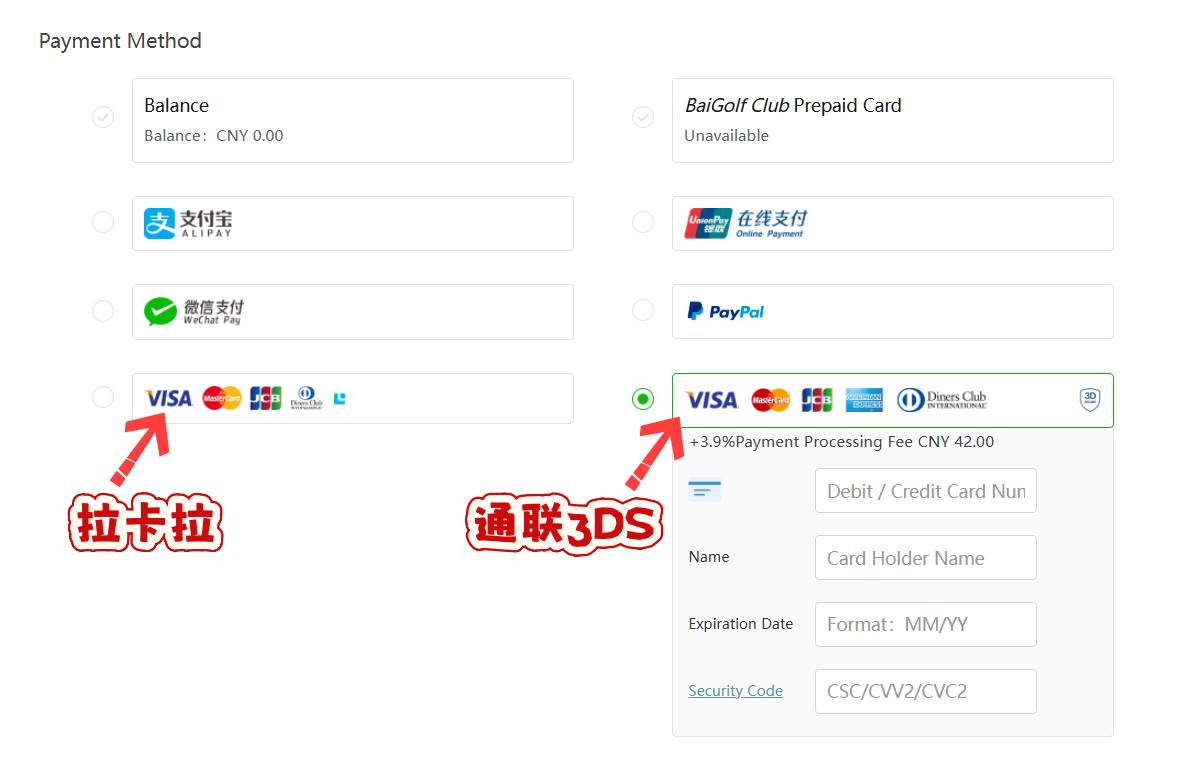
〇 Lakala Channel (Visa, JCB, Diner's Club Mastercard, or American Express Prepaid Credit Card)
〇 3D Connect Channel (Visa, JCB, Diner's Club Mastercard, or American Express Prepaid Credit Card)
Payment Issues and Restrictions
To protect your security and privacy, your bank cannot provide BaiGolf with information about the reasons your payment was rejected. Please contact your bank directly to resolve these payment issues.
To retry a rejected payment, do the following:
1. Go to My Orders.
2. Do one of the following:
① Retry using a different payment method.
② Retry using your current payment method by selecting "Retry Payment Method" next to the order.
a. Select "Change Payment Method" next to the order you want to modify.
b. Select a different payment method from your account, or submit a new card number and select Confirm.
c. Select "Retry Payment Method" next to the order.
Resolving International Card Payment Rejection Issues
If you encounter payment failures when using international cards, please try the following methods to resolve the issue:
Method 1: Determine Card Type and Select the Applicable Payment Channel
Prioritize using the "Tonglian 3DS" or "Lakala" payment channel to try paying again;
If it's a Japanese JCB card, directly select the "Lakala" channel.
Method 2: Switch Terminals and Pages to Try Again
If the first step fails, switch to the PC version, open the foreign language page, and select the "PayPal" payment channel to pay again (only applicable to singles golf and golf + wine orders).
Method 3: Contact customer service for offline payments via WeChat/Alipay/business-to-business. If overseas remittance is required, a Hong Kong/Thailand bank account can be provided for receiving payments.
Due to technical differences between payment channels, the success rate of singles golf orders is higher than that of travel orders; if your package order payment fails, contact BaiGolf customer service, create a new order in the "Singles Golf" section, and note "Payment for Package Only". After successful payment, customer service will transfer you to the corresponding travel/package order process.
Features of Each Payment Method:
1. Tonglian 3DS: Higher success rate than regular Tonglian cards, compatible with most international cards, highly recommended.
2. Lakala: Overall success rate is better than the Tonglian series; preferred for Japanese JCB cards.
3. PayPal: High success rate, but incurs approximately 5% transaction fee; only supports "Singles" and "Ball + Wine" orders on the PC's foreign language page.
4. Regular Tonglian: Not recommended for Japanese JCB cards due to high system security settings and lower success rate.
Payment Method Identification (with corresponding page illustrations)
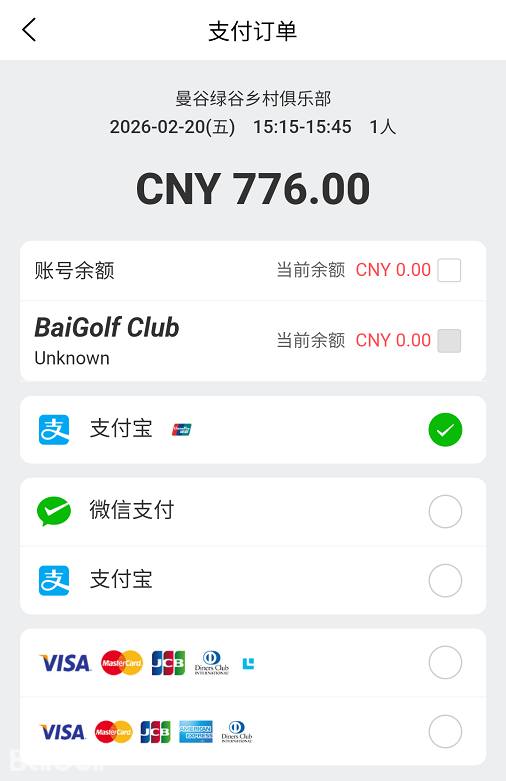
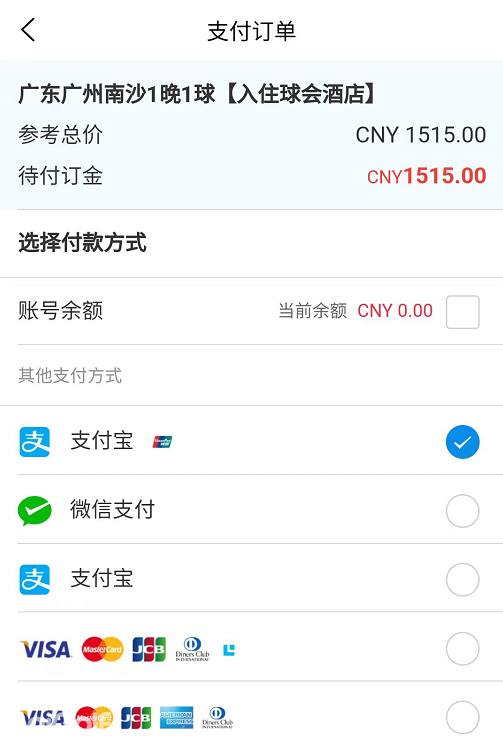
You can quickly identify the available payment methods based on the icons on the payment page, as follows:
(1) Standard UnionPay
Identification Marker: No special icon on the payment page
Supported Cards: VISA, MasterCard, JCB, American Express
(2) UnionPay 3DS
Identification Marker: "3D" icon displayed on the far right of the payment page
Supported Cards: VISA, MasterCard, JCB, American Express
(3) Lakala
Identification Marker: Small square icon displayed on the far right of the payment page
Supported Cards: VISA, MasterCard, JCB, American Express
(4) PayPal
Identification Marker: "PayPal" logo displayed on the payment page
Supported Cards: Major international credit cards (requires a linked PayPal account)
Payment Channel Compatibility Instructions for Different Terminals/Order Types
Please select the corresponding supported payment channel based on your terminal (iOS APP/Android/PC) and order type. Specific compatibility rules and page illustrations are as follows:
(1) iOS APP
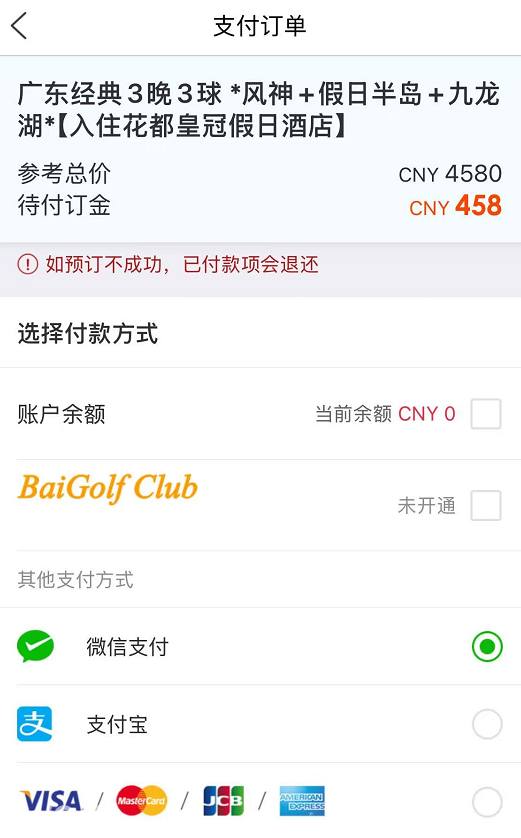
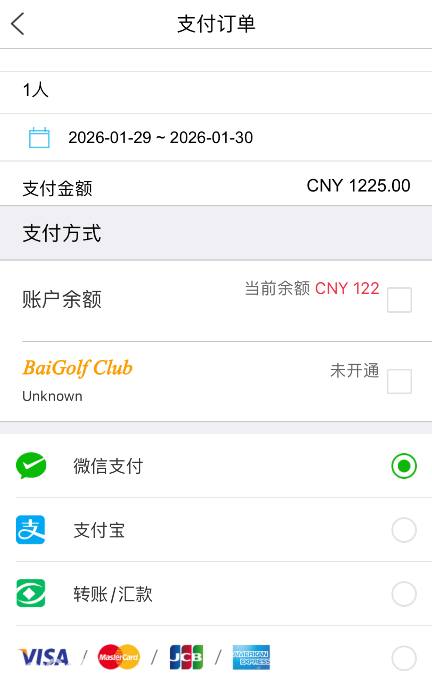
Note: iOS For all order types on the APP, only one international card payment method, "Standard Tonglian," is supported:
1. Singles Golf Order
2. Golf + Wine Order
3. Travel Order
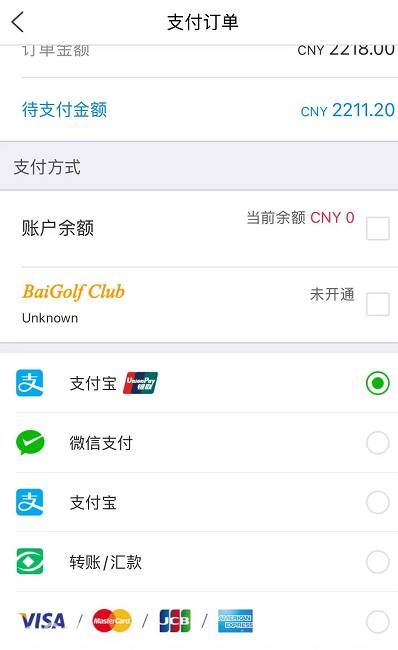
4. Customized Travel Order
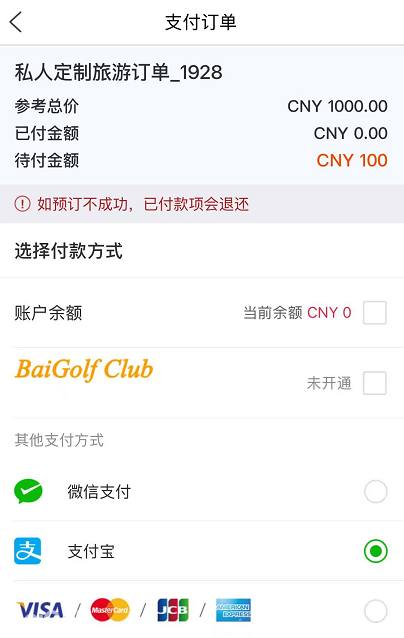
(2) Android App
1. Singles Golf Order: Supports Tonglian and Lakala
2. Golf + Wine Order: Supports Tonglian and Lakala
3. Standard Travel Order: Supports Tonglian 3DS and Lakala
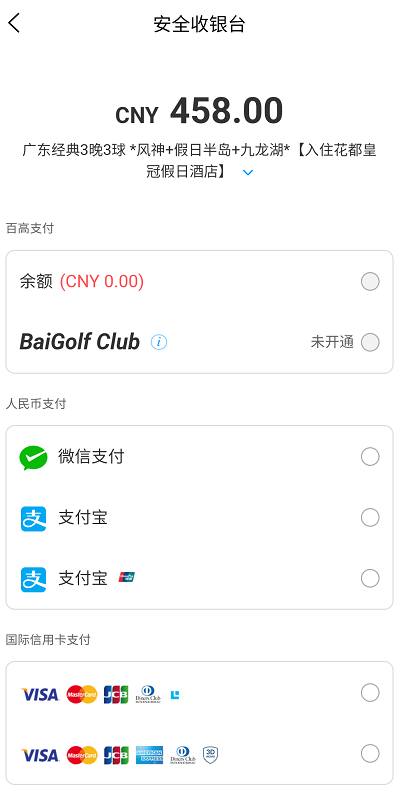
4. Customized Travel Order: Supports Tonglian 3DS and Lakala
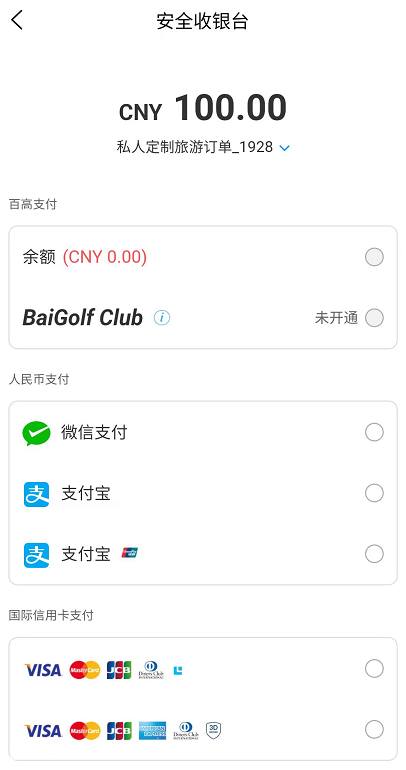
(3) PC App
1. Singles Golf Order
○ Chinese Page: Supports Tonglian 3DS and Lakala
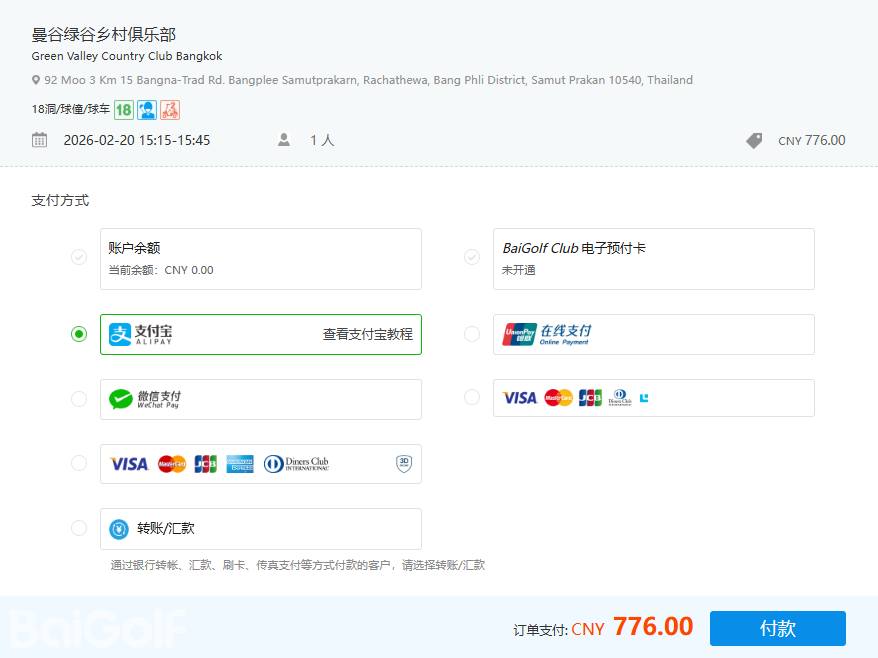
○ English Page: Supports Tonglian 3DS, Lakala, and PayPal
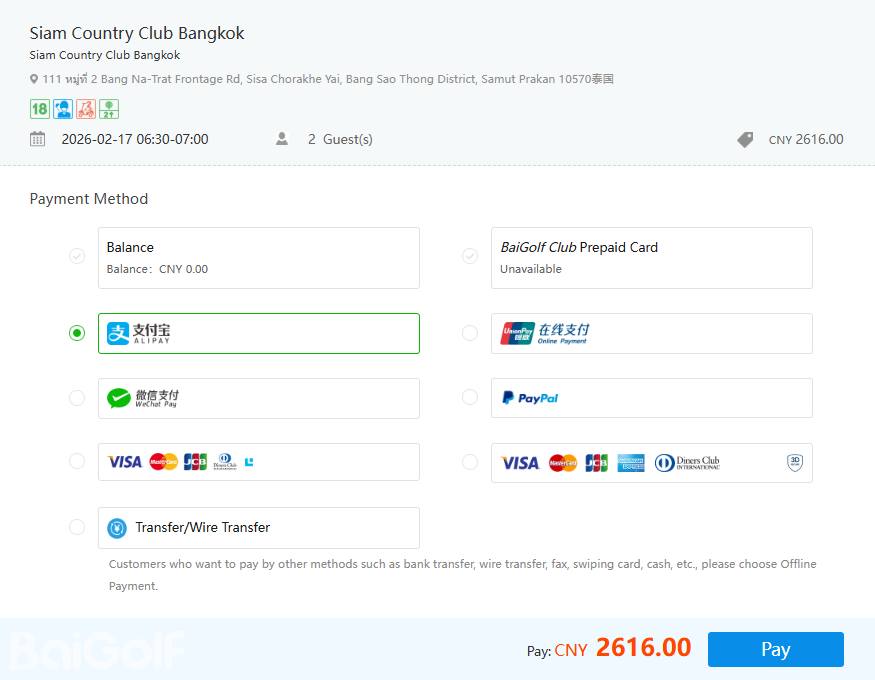
2. Golf + Wine Order
○ Chinese Page: Supports Tonglian 3DS and Lakala
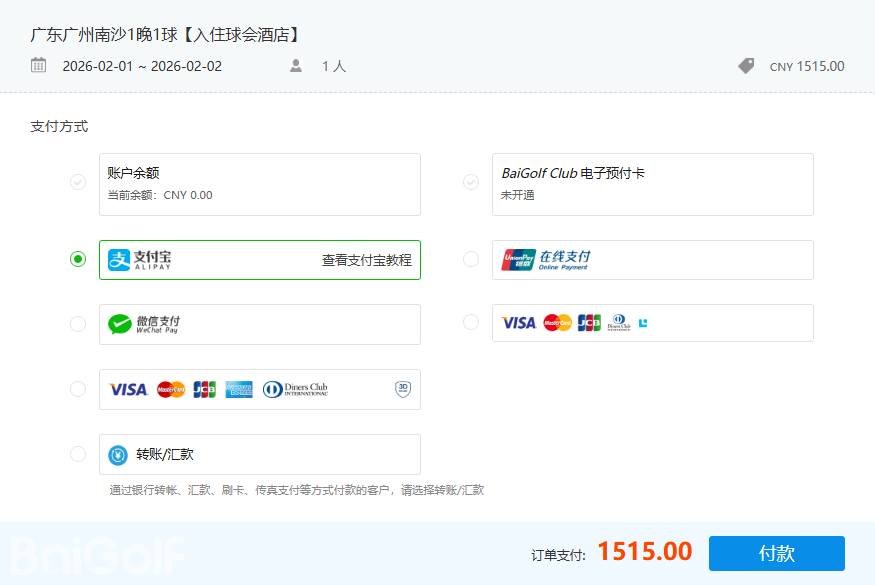
○ English Page: Supports Tonglian 3DS, Lakala, and PayPal
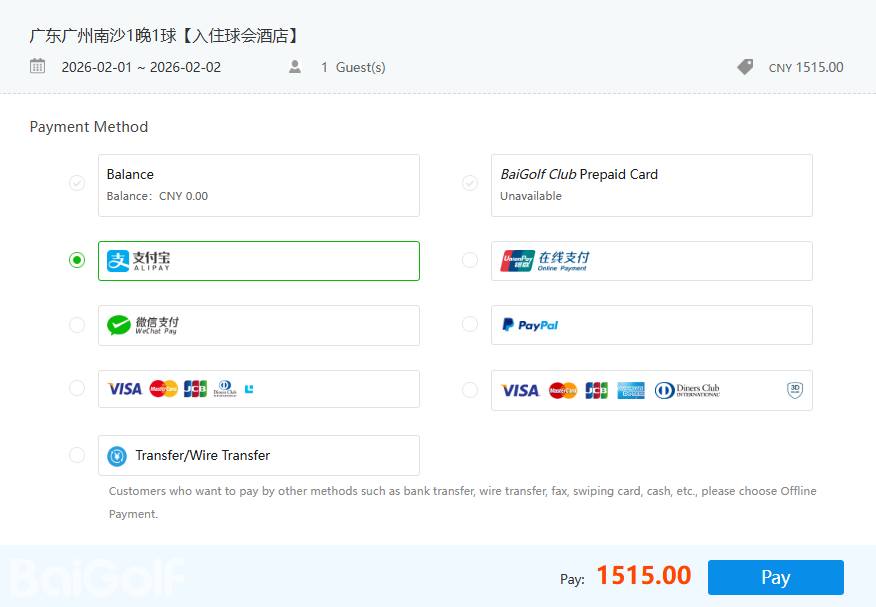
3. Travel Order
○ Chinese Page: Supports Lakala and Tonglian
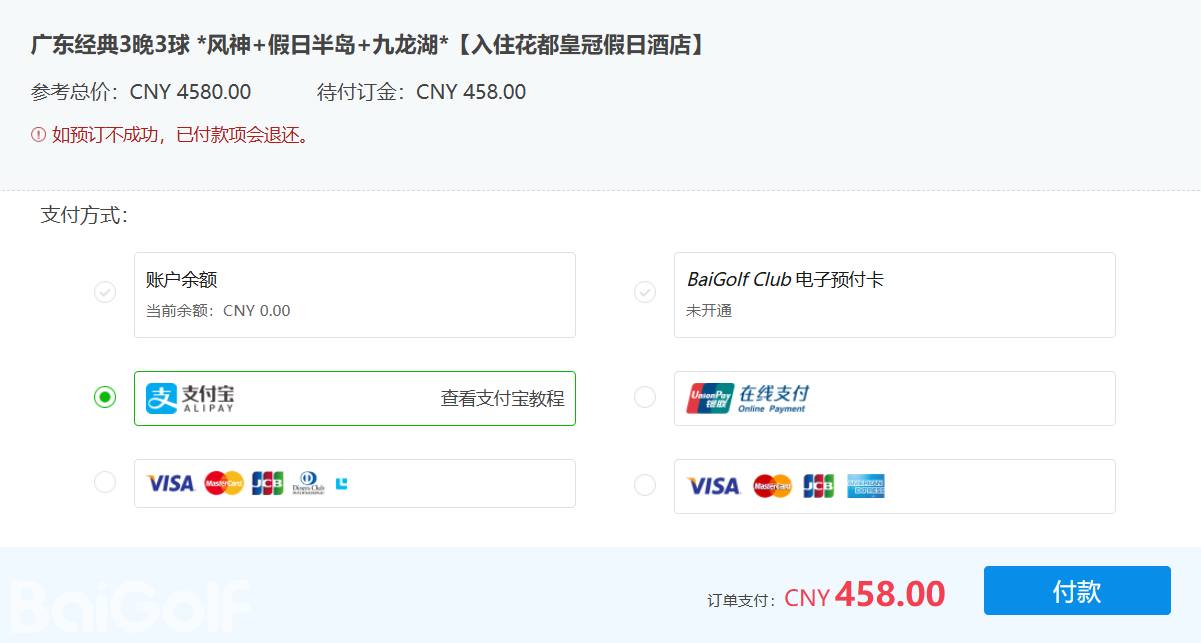
○ English Page: Supports Lakala and Tonglian
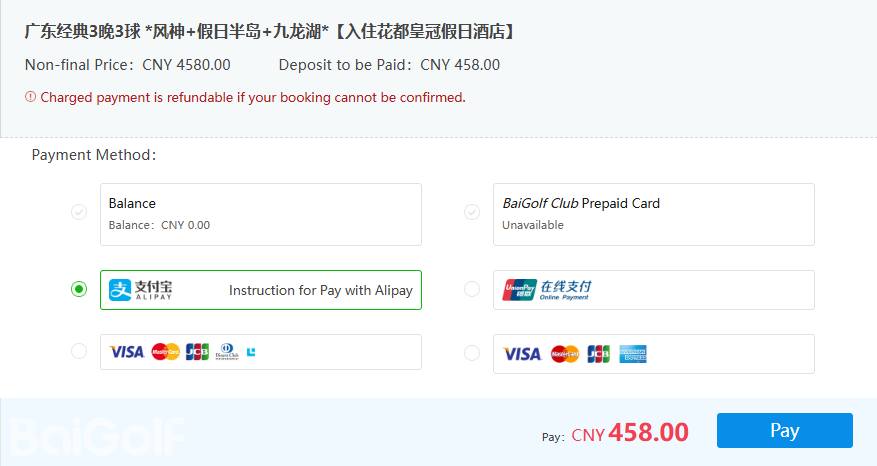
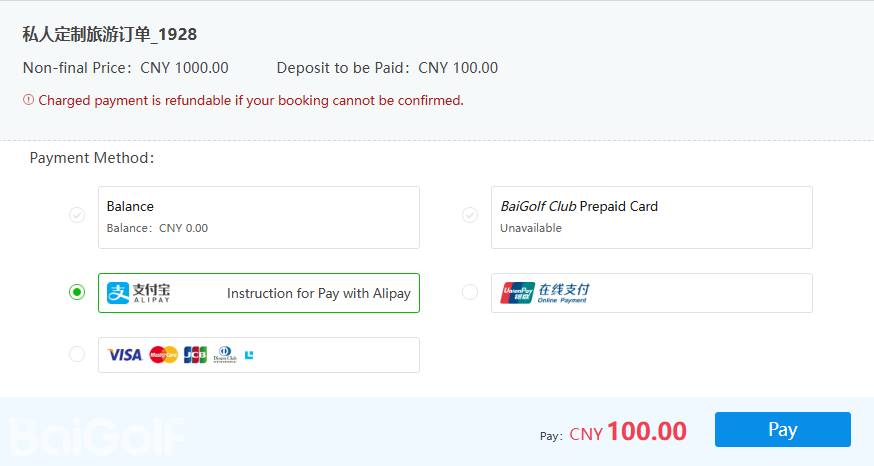
4. Customized Travel Orders
○ Chinese Page: Supports Lakala
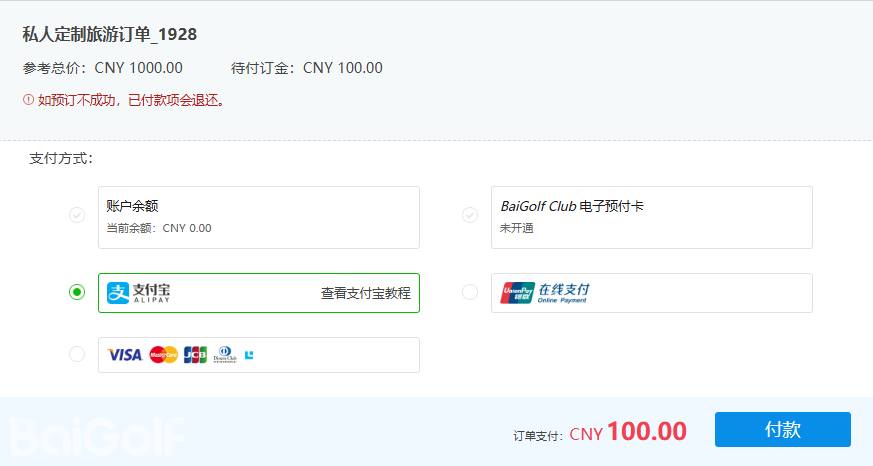
○ English Page: Supports Lakala
About International Shopping Currency Preferences
BaiGolf supports shopping in multiple currencies. Currency preference is a display feature that allows you to check prices in your preferred currency. To update your currency preference, you can change the default currency to your preferred currency on the "Currency Settings" page. The currencies available when selecting a course are listed below. After preparing the course, date, and number of participants, the "Order Total" will display the total order price in your preferred currency at checkout. At payment, the "Payment Total" will display the amount charged to your payment method.
Your selected currency is for reference only. For convenience, prices may be displayed in your selected currency, even if the order does not meet the requirements of the BaiGolf currency converter. You can still see the price displayed in your selected currency. At checkout, if you wish to pay in your selected currency, the actual selling price will include additional fees, which will be calculated at checkout.
Avoid Payment Fraud
If in doubt, ask the target recipient for more information about the purpose and security of the requested payment. Do not make payments if you are unsure about the transaction.
Avoid payment scams:
Do not do business with anyone who leads you away from the BaiGolf website/app. All BaiGolf orders are completed on the BaiGolf platform.
Do not pay for lottery tickets, prizes, or if the other party promises you a large sum of money.
Do not pay based on credit card or loan guarantees.
Do not respond to any internet or telephone service whose honesty you are unsure of.
Do not make payments to people you do not know or whose identity you cannot verify.
Do not respond to emails requesting account information such as your email address and password combination.
BaiGolf
✅From Hong Kong, China, providing resources for many well-known companies in Asia
✅Established 10 years ago, serving millions of international users
✅There are more than 10,000+ real reviews from golfers on the app
✅Provide services in 14 languages including Chinese, English, Japanese, Korean, etc.
✅Can book 5,000+ golf courses, including golf courses in China, Japan, Korea, Singapore, Malaysia, Thailand, Indonesia, UAE, Scotland, etc.
✅The system records user information for easy booking next time
✅Online 24 hours a day, accepting a large number of orders
✅Through the new generation of BGMS system, more than 1,000 golf courses in Asia are connected in real time